Setting Up Silo: A Faster Media Server for People With Too Many Files
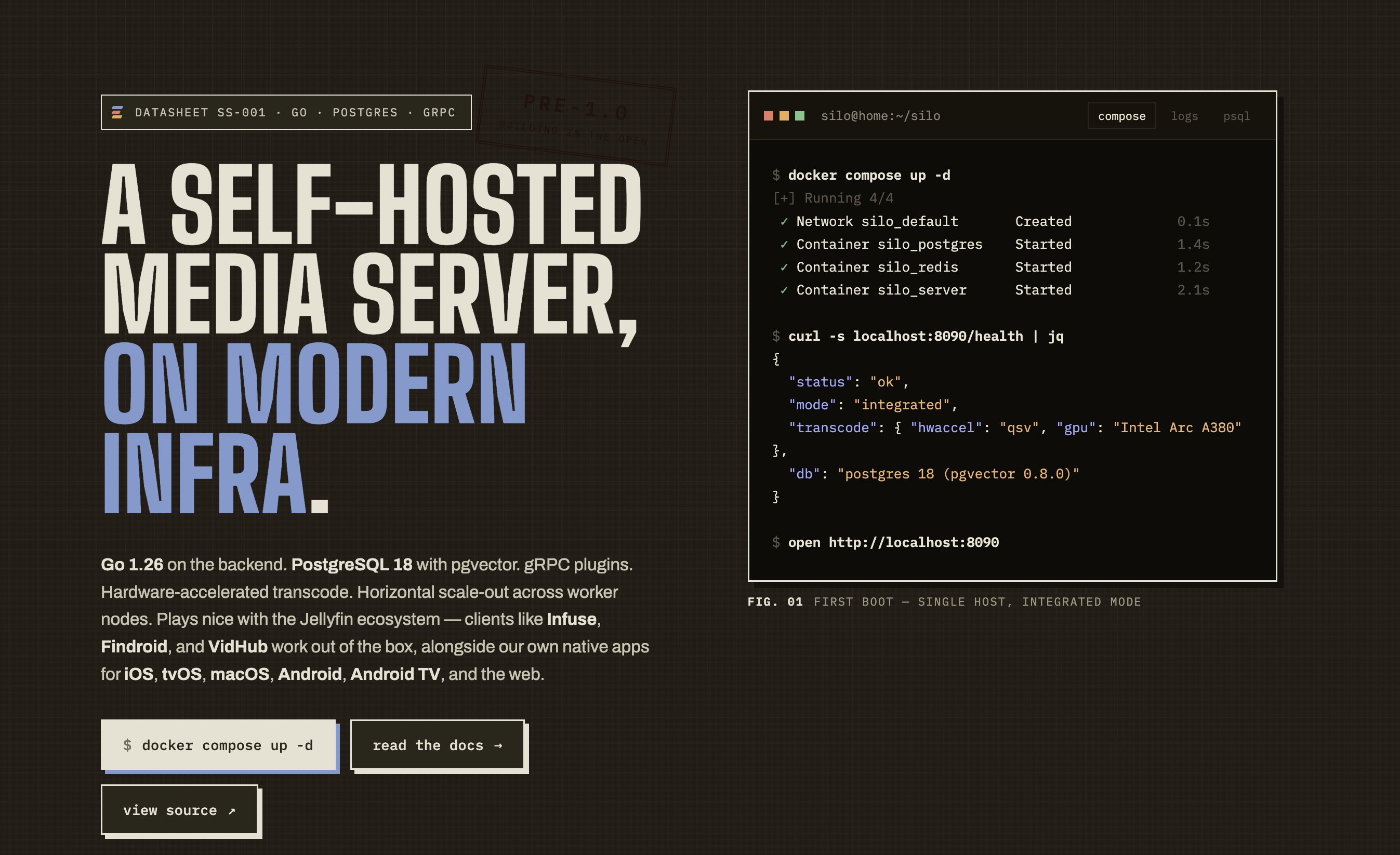
I found Silo in a Reddit comment. Not even the post itself, a comment, three replies deep, in a thread about why Jellyfin gets sluggish once your library crosses some invisible threshold. Someone said “it was the superhero we deserved” and linked a GitHub repo with nine stars (almost 160 now) and no tagged releases.
The itch I was scratching
I’ve run Plex since roughly forever. I’ve moved through MythTV, XBMC, Windows Media Center, and finally to Plex. It’s the thing my family knows how to use, the apps are good on every screen I own, and I’ve made peace with the parts of it I don’t love. Alongside it I run Jellyfin, mostly out of principle, partly because I like knowing there’s an exit.
The problem is that the Jellyfin web ui and apps are pretty clunky. My library isn’t outrageous by datahoarder standards, but it’s big enough that browsing feels like waiting. Load a library, wait. Scroll, wait for posters to populate. Search, wait. None of it is broken exactly, it’s just slow compared to Plex in a way that makes me not want to use it. And the more I read, the more it seemed like that’s structural. It’s not a setting I forgot to flip. Although, the upcoming v12 is supposed to address speed issues (doesn’t work on the clunky UI).
So when someone in a Reddit thread described it that way, I had to check it out. The website feels like an AI hype page, but it was definitely intriguing… a media server with a Go backend built on top of a Postgres database, built from the start to be fast with large catalogs, with a Jellyfin-compatible API bolted on so existing clients keep working. I was interested 🤓
What Silo actually is
Silo is a self-hosted media server: Go backend, React frontend, Postgres for durable state, Redis for coordination and caching. It does direct play, remuxing, and hardware-accelerated transcoding. AND, It’s AGPL.
The piece that makes it immediately usable is the compatibility layer. Silo speaks Jellyfin’s API on a separate port, so Wholping and the native Jellyfin app, along withthe rest of the Jellyfin client ecosystem will talk to it. There’s also an Audiobookshelf-compatible endpoint on a third port, if you’re into that sort of thing (I use Bookorbit, so I don’t need this part).
It’s early. The official apps are in TestFlight and various states of alpha. There are no tagged releases as I write this. The setup wizard has rough edges. But the web UI is genuinely fast, it looks good in a way self-hosted software usually doesn’t, and the docs are better than a nine-star project has any right to have.
Fair warning before you follow along: this is early software and I’m treating it as a second server, not a Plex replacement. My media is mounted read-only. Nothing about this setup can touch the files.
My setup
For context, since paths matter later:
- Media on
/storage, subdirectories forvideos,tv_shows,audiobooks,music, plusanime,ebooks, and a pile of stuff that isn’t media at all - Docker containers under
/docker/containers/<name> - Traefik out front, everything on a shared
proxynetwork - Jellyfin already running and holding port 8096
- An NVIDIA card for transcoding
Let’s get NVIDIA working… if it’s not already
The NVIDIA setup is really straightforward (especially, if you already have it working for Jellyfin/Plex). The default repo loads nvidia via a second compose. So I used the docker-compose.nvidia.yml override in the repo, and COMPOSE_FILE in .env layers it in so you never type -f flags:
1
2
3
4
5
6
7
8
9
10
11
12
services:
  silo:
    deploy:
      resources:
        reservations:
          devices:
            - driver: nvidia
              count: ${NVIDIA_GPU_COUNT:-1}
              capabilities: [gpu]
    environment:
      NVIDIA_VISIBLE_DEVICES: all
      NVIDIA_DRIVER_CAPABILITIES: compute,video,utility
Verify the runtime works before you blame Silo for not working:
1
docker run --rm --gpus all nvidia/cuda:12.4.0-base-ubuntu22.04 nvidia-smi
If that fails, install nvidia-container-toolkit, run nvidia-ctk runtime configure --runtime=docker, restart Docker.
The complete setup
Everything below assumes /docker/containers/silo as the stack directory and /storage as the media root. Adjust both to taste.
1. Create the directories
Docker will happily create bind-mount paths as root-owned directories if they don’t exist, which leads to confusing permission problems later. Make them yourself first:
1
2
3
4
mkdir -p /docker/containers/silo/garage
mkdir -p /docker/containers/silo/data/{postgres,redis,plugins,compat,transcode,catalog-seeds,audiobook-covers}
mkdir -p /docker/containers/silo/data/garage/{meta,data}
cd /docker/containers/silo
2. Generate your secrets
Three separate secrets. Don’t reuse one for all three, and don’t commit any of them:
1
2
3
4
echo "SECRET_KEY:    $(openssl rand -base64 48)"   # Silo credential encryption
echo "rpc_secret:    $(openssl rand -hex 32)"      # Garage cluster RPC
echo "admin_token:   $(openssl rand -base64 32)"   # Garage admin API
echo "metrics_token: $(openssl rand -base64 32)"   # Garage metrics endpoint
Back up SECRET_KEY somewhere separate from your database dumps. Every integration API key and S3 credential Silo stores is encrypted under a key derived from it. Lose it and none of them are recoverable.
3. .env
1
2
3
4
5
6
7
8
9
10
11
12
13
14
15
16
17
18
19
20
21
22
23
24
25
26
27
28
29
30
# Layers the NVIDIA override in automatically — no -f flags needed
COMPOSE_FILE=docker-compose.yml:docker-compose.nvidia.yml
NVIDIA_GPU_COUNT=1

# Media. One mount covers every library under /storage.
MEDIA_ROOT=/storage
MEDIA_CONTAINER_ROOT=/mnt/media

# Ebooks, mounted OUTSIDE /mnt/media on purpose — see the notes below
MEDIA_BOOKS_ROOT=/storage/ebooks
MEDIA_BOOKS_CONTAINER_ROOT=/mnt/books

SILO_DATA_ROOT=/docker/containers/silo/data
SILO_IMAGE=ghcr.io/silo-server/silo-server:latest
GARAGE_IMAGE=dxflrs/garage:v2.3.0

# HOST-side published ports only. The container's internal ports are pinned
# in docker-compose.yml — see the notes below for why that matters.
PORT=8090
JF_PORT=8097
ABS_PORT=13378

POSTGRES_USER=silo
POSTGRES_PASSWORD=CHANGE_ME
POSTGRES_DB=silo
POSTGRES_SHM_SIZE=8gb
POSTGRES_TUNE=auto

SECRET_KEY=CHANGE_ME_openssl_rand_base64_48
SILO_PUBLIC_URL=https://silo.example.com
4. docker-compose.yml
1
2
3
4
5
6
7
8
9
10
11
12
13
14
15
16
17
18
19
20
21
22
23
24
25
26
27
28
29
30
31
32
33
34
35
36
37
38
39
40
41
42
43
44
45
46
47
48
49
50
51
52
53
54
55
56
57
58
59
60
61
62
63
64
65
66
67
68
69
70
71
72
73
74
75
76
77
78
79
80
81
82
83
84
85
86
87
88
89
90
91
92
93
94
95
96
97
98
99
100
101
102
103
104
105
106
107
108
109
110
111
112
113
114
115
116
117
118
119
120
121
122
123
124
125
services:
  postgres:
    image: pgvector/pgvector:pg18
    container_name: silo-postgres
    restart: unless-stopped
    shm_size: ${POSTGRES_SHM_SIZE:-8gb}
    environment:
      POSTGRES_USER: ${POSTGRES_USER:-silo}
      POSTGRES_PASSWORD: ${POSTGRES_PASSWORD:-silo}
      POSTGRES_DB: ${POSTGRES_DB:-silo}
    volumes:
      - ${SILO_DATA_ROOT:-/opt/silo}/postgres:/var/lib/postgresql
    command: ["postgres", "-c", "listen_addresses=*"]
    networks:
      - silo
    healthcheck:
      test: ["CMD-SHELL", "pg_isready -U ${POSTGRES_USER:-silo}"]
      interval: 5s
      timeout: 3s
      retries: 5

  redis:
    image: redis:alpine
    container_name: silo-redis
    restart: unless-stopped
    volumes:
      - ${SILO_DATA_ROOT:-/opt/silo}/redis:/data
    networks:
      - silo
    healthcheck:
      test: ["CMD", "redis-cli", "ping"]
      interval: 5s
      timeout: 3s
      retries: 5

  # S3-compatible storage for generated assets (artwork, chapter thumbnails,
  # subtitles). Not your media — that stays on /storage.
  garage:
    image: ${GARAGE_IMAGE:-dxflrs/garage:v2.3.0}
    container_name: silo-garage
    restart: unless-stopped
    volumes:
      - ./garage/garage.toml:/etc/garage.toml:ro
      - ${SILO_DATA_ROOT:-/opt/silo}/garage/meta:/var/lib/garage/meta
      - ${SILO_DATA_ROOT:-/opt/silo}/garage/data:/var/lib/garage/data
    networks:
      - silo
      - proxy
    labels:
      - "traefik.enable=true"
      - "traefik.docker.network=proxy"
      - "traefik.http.routers.garage.rule=Host(`s3.example.com`)"
      - "traefik.http.routers.garage.entrypoints=websecure"
      - "traefik.http.routers.garage.tls.certresolver=le"
      - "traefik.http.routers.garage.middlewares=lanOrVpnOnly@file"
      - "traefik.http.services.garage.loadbalancer.server.port=3900"

  silo:
    image: ${SILO_IMAGE:-ghcr.io/silo-server/silo-server:latest}
    container_name: silo
    restart: unless-stopped
    environment:
      MODE: integrated
      # Pin the INTERNAL listen ports. .env is also injected into the container
      # via env_file below, and Silo reads these same variable names to decide
      # what to bind to. Without these three lines, a host-side port override
      # in .env silently changes what the process listens on while the port
      # mappings still target the defaults. `environment:` beats `env_file:`.
      PORT: "8080"
      JF_PORT: "8096"
      ABS_PORT: "13378"
      SECRET_KEY: ${SECRET_KEY:?Set SECRET_KEY in .env}
      DATABASE_URL: postgres://${POSTGRES_USER:-silo}:${POSTGRES_PASSWORD:-silo}@postgres:5432/${POSTGRES_DB:-silo}?sslmode=disable
      REDIS_URL: redis://redis:6379
      SILO_PLUGIN_CACHE_DIR: /var/lib/silo/plugins
      POSTGRES_TUNE: ${POSTGRES_TUNE:-auto}
    ports:
      - "${PORT:-8090}:8080"
      - "${JF_PORT:-8097}:8096"
      - "${ABS_PORT:-13378}:13378"
    volumes:
      - ${MEDIA_ROOT:?Set MEDIA_ROOT in .env}:${MEDIA_CONTAINER_ROOT:-/mnt/media}:ro
      # Sibling of /mnt/media, not a child. Docker can't create a mountpoint
      # inside a read-only bind mount.
      - ${MEDIA_BOOKS_ROOT:-/storage/ebooks}:${MEDIA_BOOKS_CONTAINER_ROOT:-/mnt/books}:ro
      - ${SILO_DATA_ROOT:-/opt/silo}/plugins:/var/lib/silo/plugins
      - ${SILO_DATA_ROOT:-/opt/silo}/compat:/var/lib/silo/compat
      - ${SILO_DATA_ROOT:-/opt/silo}/transcode:/tmp/silo-transcode
      - ${SILO_DATA_ROOT:-/opt/silo}/catalog-seeds:/catalog-seeds:ro
      - ${SILO_DATA_ROOT:-/opt/silo}/audiobook-covers:/var/lib/silo/audiobook-covers
      - /proc/meminfo:/host/proc/meminfo:ro
    # Only needed for Intel/AMD VAAPI, and only if /dev/dri exists on the host.
    # NVENC does not use it. If you uncomment, uncomment BOTH lines — a bare
    # `devices:` key with nothing under it fails compose validation.
    # devices:
    #   - /dev/dri:/dev/dri
    networks:
      - silo
      - proxy
    labels:
      - "traefik.enable=true"
      # Required: this container is on two networks. Without this, Traefik may
      # resolve it to the internal-network IP it cannot reach, and you get a
      # gateway timeout with no useful error.
      - "traefik.docker.network=proxy"
      - "traefik.http.routers.silo.rule=Host(`silo.example.com`)"
      - "traefik.http.routers.silo.entrypoints=websecure"
      - "traefik.http.routers.silo.tls.certresolver=le"
      - "traefik.http.routers.silo.middlewares=lanOrVpnOnly@file"
      # Container's INTERNAL port, matching the pin above.
      - "traefik.http.services.silo.loadbalancer.server.port=8080"
    depends_on:
      postgres:
        condition: service_healthy
      redis:
        condition: service_healthy
    env_file:
      - path: .env
        required: false

networks:
  silo:
    driver: bridge
  proxy:
    external: true
If you don’t run Traefik, delete both labels: blocks and the proxy network (from the two networks: lists and the bottom section). Everything still works on the published host ports.
5. docker-compose.nvidia.yml
1
2
3
4
5
6
7
8
9
10
11
12
services:
  silo:
    deploy:
      resources:
        reservations:
          devices:
            - driver: nvidia
              count: ${NVIDIA_GPU_COUNT:-1}
              capabilities: [gpu]
    environment:
      NVIDIA_VISIBLE_DEVICES: all
      NVIDIA_DRIVER_CAPABILITIES: compute,video,utility
Skip this file and drop COMPOSE_FILE from .env if you’re CPU-only.
6. Object storage, kept at home
Silo wants S3-compatible storage for client-facing assets: artwork, chapter thumbnails, subtitles. Not media, just generated stuff. You can leave it blank for a basic install, but chapter thumbnails are rejected at library creation without it, and I wanted chapter thumbnails.
I’m not sending my poster art to a cloud provider to serve it back to devices on my own LAN. The docs’ preferred self-hosted option is Garage, which is a small S3-compatible object store built for exactly this scale.
7. garage/garage.toml
Paste your generated secrets into the three placeholders:
1
2
3
4
5
6
7
8
9
10
11
12
13
14
15
16
17
18
19
20
21
22
23
24
25
26
27
28
29
30
31
32
33
metadata_dir = "/var/lib/garage/meta"
data_dir     = "/var/lib/garage/data"
db_engine    = "lmdb"

# LMDB metadata can corrupt on unclean shutdown. Garage's docs recommend
# snapshots; this is the built-in mechanism. Use db_engine = "sqlite" instead
# if you'd rather trade speed for robustness.
metadata_auto_snapshot_interval = "6h"

# Assets are already-compressed images, so light compression is plenty.
compression_level = 2

# Single node, no replication. Must be explicit.
replication_factor = 1

rpc_bind_addr   = "[::]:3901"
rpc_public_addr = "127.0.0.1:3901"
rpc_secret      = "CHANGE_ME_openssl_rand_hex_32"

[s3_api]
s3_region     = "garage"
api_bind_addr = "[::]:3900"
root_domain   = ".s3.garage.localhost"

[s3_web]
bind_addr   = "[::]:3902"
root_domain = ".web.garage.localhost"
index       = "index.html"

[admin]
api_bind_addr = "[::]:3903"
admin_token   = "CHANGE_ME_openssl_rand_base64_32"
metrics_token = "CHANGE_ME_openssl_rand_base64_32"
8. Start it
1
2
3
docker compose config -q     # validates YAML before anything tries to run
docker compose up -d
docker compose logs -f silo
You want to see this in the logs, with the internal ports at their defaults:
1
2
3
HTTP server listening addr=:8080
Jellyfin compat server listening addr=:8096
ABS compat server listening addr=:13378
If those show :8090 and :8097 instead, the PORT/JF_PORT pins in docker-compose.yml didn’t take. Recreate rather than restart — env changes need a new container:
1
docker compose up -d --force-recreate silo
You’ll also see a one-time warning that Postgres needs a restart to finish applying auto-tuned settings. Silo sets those with ALTER SYSTEM, and shared_buffers, max_connections, and huge_pages only take effect on restart:
1
docker compose restart postgres
9. Initialize Garage
A fresh Garage node has no cluster layout and refuses writes until it gets one. Skip this and Silo’s S3 errors look like a credentials problem.
1
2
3
4
5
6
7
8
9
10
# Get the node ID — the short prefix is enough
docker compose exec garage /garage status

docker compose exec garage /garage layout assign <NODE_ID> -z dc1 -c 100G
docker compose exec garage /garage layout show    # prints the exact apply command
docker compose exec garage /garage layout apply --version 1

docker compose exec garage /garage bucket create silo-assets
docker compose exec garage /garage key create silo-key
docker compose exec garage /garage bucket allow --read --write --owner silo-assets --key silo-key
Capacity is a declared budget, not an allocation. 100G is plenty for artwork.
key create prints the Key ID and Secret. Copy the secret now — it isn’t shown again unless you ask for it explicitly with key info --show-secret.
The S3 endpoint can’t be the internal Docker hostname. Silo hands clients presigned URLs, and the signature covers the hostname. Whatever you set as the endpoint is what browsers will try to fetch. Set it to http://garage:3900 and every poster 404s, because that name only resolves inside the Docker network. So Garage gets its own Traefik route and the endpoint becomes https://s3.example.com. The bucket stays private, presigned URLs handle auth, and nothing is actually exposed to the internet.
One more from Garage’s own best-practices page, which I nearly missed: LMDB metadata has a habit of corrupting after unclean shutdowns. On a home server that means a power blip. Set metadata_auto_snapshot_interval = "6h" in garage.toml, or switch db_engine to sqlite if you’d rather trade a little speed for durability. At poster-art volume you won’t notice the difference.
10. Point Silo at Garage
In the setup wizard’s storage step, under Public Assets:
| Field | Value |
|---|---|
| Endpoint | https://s3.example.com |
| Region | garage |
| Path Style | enabled |
| Bucket | silo-assets |
| Key Prefix | production |
| Access Key | Key ID from key create |
| Secret Key | Secret from key create |
| URL Auth Method | S3 Presigned URLs |
The endpoint has to be the externally reachable hostname, not http://garage:3900. Presigned URL signatures cover the host, and that name only resolves inside the Docker network — clients would get nothing.
Private Internal storage can stay blank, or point at a second bucket (garage bucket create silo-internal) with the same key.
If Silo can’t resolve your S3 hostname from inside the container, add an override to the silo service:
1
2
    extra_hosts:
      - "s3.example.com:192.168.1.10"   # your host's LAN IP
11. Add libraries
Container paths, not host paths:
| Library | On disk | Enter in Silo |
|---|---|---|
| Movies | /storage/videos | /mnt/media/videos |
| TV | /storage/tv_shows | /mnt/media/tv_shows |
| Audiobooks | /storage/audiobooks | /mnt/media/audiobooks |
| Music | /storage/music | /mnt/media/music |
| Ebooks | /storage/ebooks | /mnt/books |
Keep “Scan after creating” enabled.
A few things that could bite you
The books mount fails on a read-only parent. Upstream mounts ebooks at /mnt/media/books, a child of the read-only /mnt/media bind mount. Docker has to create that directory to mount into it and can’t, so container init dies with read-only file system. Mounting at /mnt/books instead — a sibling — fixes it. Re-apply this if you ever re-sync the compose file from upstream.
Port variables change what the container binds to. .env is injected into the container via env_file, and Silo reads PORT, JF_PORT, and ABS_PORT to pick its internal listen ports. Set PORT=8090 for host publishing and Silo listens on 8090 inside the container while the mapping still forwards to 8080 — healthy container, clean logs, every connection refused. Pinning all three under environment: is what fixes it. Upstream leaves them commented out for this reason.
An empty devices: key fails validation. Comment out - /dev/dri:/dev/dri but leave devices: behind and compose rejects the file with services.silo.devices must be a list, because a key with nothing under it parses as null. Comment out both lines or neither.
Traefik needs to be told which network to use. With Postgres and Redis on a separate internal network, the Silo container is multi-homed. Traefik picks whichever IP it finds first, and if that’s the internal one it can’t route there — you get a gateway timeout and nothing useful in any log. traefik.docker.network=proxy removes the ambiguity.
Traefik, and a network gotcha
My labels:
1
2
3
4
5
6
7
8
labels:
  - "traefik.enable=true"
  - "traefik.docker.network=proxy"
  - "traefik.http.routers.silo.rule=Host(`silo.example.com`)"
  - "traefik.http.routers.silo.entrypoints=websecure"
  - "traefik.http.routers.silo.tls.certresolver=le"
  - "traefik.http.routers.silo.middlewares=lanOrVpnOnly@file"
  - "traefik.http.services.silo.loadbalancer.server.port=8080"
traefik.docker.network=proxy is the line worth mentioning. I put Postgres and Redis on a separate internal network so they’re not published to the host at all, which means the Silo container sits on two networks. When a container is multi-homed, Traefik picks whichever IP it finds first, and if it lands on the internal network it can’t route there. You get a gateway timeout with no useful error anywhere. Pin the network and it goes away.
Also note server.port=8080. That’s the container’s internal port, which only became correct after the fix in gotcha two. Before that Traefik was proxying to a dead port too, so I got to debug the same bug twice through two different front doors.
I keep 8090 published for direct access. When Traefik or certificates are the thing that’s broken, you want a way in that doesn’t involve either.
So is it fast?
Yes! It’s really quick, given how much less mature it is than the thing it’s replacing. Browsing is immediate. Search returns while I’m still typing. The scroll-and-wait-for-posters thing that pushed me into this whole project doesn’t happen. Whether that holds as I throw more at it, I don’t know yet, but the architecture is at least pointed at the right problem.
Direct play works. Transcoding hands off to NVENC properly. Jellyfin clients connect to port 8097 and behave. The only thing that blows up every time for me is trying to play a video with burned in bitmap subtitles. That doesn’t work at all!
What I’m hoping it turns into
The apps, mostly. That’s the whole thing. Jellyfin’s server is cool and I love open source. But, what keeps me on Plex for anything my family touches is the apps. Silo’s compatibility layer is a clever bridge, and third-party Jellyfin clients are better than they get credit for, but a first-party app that’s actually as good as the server is looking like it will be would let me move over for real.
Beyond that, I want to see it stay boring in the right places. Postgres and Redis as dependencies is a real commitment for a self-hosted project, and it’s the reason it’s fast, but it also means backups and upgrades need to keep being straightforward. So far they are.
I’d also like a tagged release. Running :latest against a project with no versioning is a choice I’m making with full awareness that it’s a bad one. And, I’d love to be able to move this over into my Komodo/Forgejo setup.
For now: Plex still serves the family, Jellyfin is still there, and Silo is the one I’m excited to checkout. That’s a stronger endorsement than I expected to be writing about something I found in a Reddit comment a couple of days ago.
Good luck if you try it out!