From Nginx Proxy Manager to Traefik + CrowdSec (A Hardened, VPN-First Setup)
What I Was Actually Solving
This wasn’t a “Traefik is cooler than Nginx” migration. It was about control and making my infrastructure more code-like.
My homelab hit the point where I needed guarantees:
- Most services should never touch the public internet
- TLS everywhere, even for internal services
- Docker labels define intent, not a UI
- Security happens before an app sees traffic
- No management ports casually exposed on the host
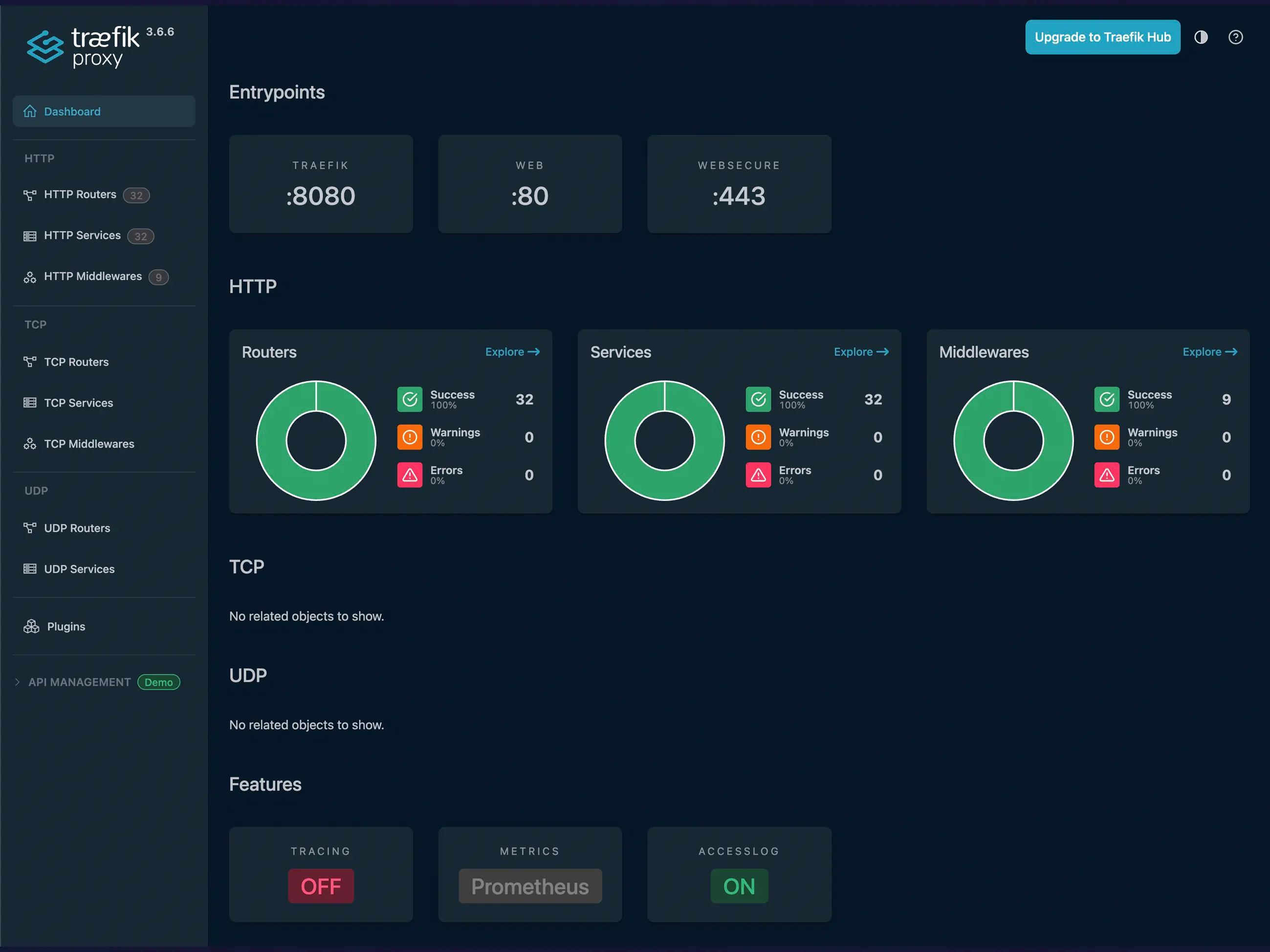
Today: 29 services live on *.vpn.zackreed.me (LAN + WireGuard only) 3 services are intentionally public
Everything else is private by default.
Core Architecture (Hardened)
At the edge:
Traefik v3.6.6 Reverse proxy, TLS termination, routing, enforcement
CrowdSec Detection engine reading Traefik access logs
CrowdSec bouncer plugin Enforcement inside Traefik
Docker socket proxy Read-only visibility into Docker, nothing more
Important rule: If Traefik can’t reach it, nothing can.
Hardened Edge Stack (compose.yaml)
- Key security decisions here:
- Only 80/443 exposed on the host
- No Traefik dashboard port exposed
- No CrowdSec port exposed
- CrowdSec and socket proxy are network-internal only
- Docker socket is never mounted directly
1
2
3
4
5
6
7
8
9
10
11
12
13
14
15
16
17
18
19
20
21
22
23
24
25
26
27
28
29
30
31
32
33
34
35
36
37
38
39
40
41
42
43
44
45
46
47
48
49
50
51
52
53
54
55
56
57
58
services:
  traefik:
    image: traefik:v3.6.6
    container_name: traefik
    restart: unless-stopped
    ports:
      - "80:80"
      - "443:443"
    env_file:
      - .env
    volumes:
      - socket-proxy.run:/var/run
      - ./traefik.yml:/traefik.yml:ro
      - ./dynamic:/dynamic:ro
      - ./acme:/acme
      - ./logs:/var/log/traefik
    networks:
      - proxy
    security_opt:
      - no-new-privileges:true

  crowdsec:
    image: crowdsecurity/crowdsec:latest
    container_name: crowdsec
    restart: unless-stopped
    environment:
      - COLLECTIONS=crowdsecurity/traefik crowdsecurity/base-http-scenarios crowdsecurity/http-cve crowdsecurity/iptables crowdsecurity/linux
    volumes:
      - ./crowdsec/data:/var/lib/crowdsec/data
      - ./crowdsec/config:/etc/crowdsec
      - ./logs:/var/log/traefik:ro
    networks:
      - proxy
    security_opt:
      - no-new-privileges:true

  socket-proxy:
    container_name: socket-proxy
    image: 11notes/socket-proxy:2.1.6
    read_only: true
    user: "0:999"
    environment:
      TZ: "America/Detroit"
    volumes:
      - "/run/docker.sock:/run/docker.sock:ro"
      - socket-proxy.run:/run/proxy
    restart: always
    networks:
      - proxy
    security_opt:
      - no-new-privileges:true

networks:
  proxy:
    external: true

volumes:
  socket-proxy.run:
Why this matters
There is no management port listening on the host besides Traefik itself. If you want access, you go through Traefik, its routers, and its middleware, or you don’t go at all.
Traefik Static Config (traefik.yml) Notably absent:
- api.insecure: true
- any :8080 entrypoint
1
2
3
4
5
6
7
8
9
10
11
12
13
14
15
16
17
18
19
20
21
22
23
24
25
26
27
28
29
30
31
32
33
34
api:
  dashboard: true

entryPoints:
  web:
    address: ":80"
  websecure:
    address: ":443"

providers:
  docker:
    exposedByDefault: false
    endpoint: "unix:///var/run/docker.sock"
  file:
    directory: "/dynamic"
    watch: true

log:
  level: INFO

accessLog:
  filePath: /var/log/traefik/access.log
  format: json
  bufferingSize: 0
  fields:
    defaultMode: keep
    headers:
      defaultMode: keep

metrics:
  prometheus:
    addEntryPointsLabels: true
    addRoutersLabels: true
    addServicesLabels: true
Certificates (Cloudflare DNS-01)
All certs — public and private — are issued the same way.
1
2
3
4
5
6
7
8
9
10
11
12
13
14
15
16
17
18
certificatesResolvers:
  le:
    acme:
      email: email.address@gmail.com
      storage: /acme/acme.json
      dnsChallenge:
        provider: cloudflare
        resolvers:
          - "1.1.1.1:53"
          - "8.8.8.8:53"
CrowdSec Plugin
yaml
Copy code
experimental:
  plugins:
    crowdsec-bouncer:
      moduleName: "github.com/maxlerebourg/crowdsec-bouncer-traefik-plugin"
      version: "v1.4.7"
Dynamic Middlewares (/dynamic/middlewares.yml)
This is where “VPN-first” becomes reusable policy.
1
2
3
4
5
6
7
8
9
10
11
12
13
14
15
16
17
18
19
20
21
22
23
24
25
26
27
http:
  middlewares:
    lanOrVpnOnly:
      ipAllowList:
        sourceRange:
          - 10.8.0.0/24
          - 192.168.172.0/24

    publicRateLimit:
      rateLimit:
        average: 50
        burst: 100

    securityHeaders:
      headers:
        frameDeny: true
        contentTypeNosniff: true
        browserXssFilter: true
        referrerPolicy: "no-referrer"
        stsSeconds: 15552000
        stsIncludeSubdomains: true

    crowdsec:
      plugin:
        crowdsec-bouncer:
          crowdseclapikey: "[REDACTED]"
          crowdseclapiurl: "http://crowdsec:8080"
The important shift: Security is built into each compose file. The default is LAN/VPN only.
Traefik Dashboard
/dynamic/traefik-dashboard.yml
1
2
3
4
5
6
7
8
9
10
11
12
13
http:
  routers:
    traefik-dashboard:
      rule: "Host(`traefik.vpn.zackreed.me`)"
      entryPoints:
        - websecure
      tls:
        certResolver: le
      service: api@internal
      middlewares:
        - lanOrVpnOnly@file
        - securityHeaders@file
        - crowdsec@file
Here’s an example of a private service compose file (Audiobookshelf) This is a representative internal service: reachable only via .vpn.
1
2
3
4
5
6
7
8
9
10
11
12
13
14
15
16
17
18
19
20
21
22
23
24
25
26
27
28
29
30
31
services:
  audiobookshelf:
    container_name: audiobookshelf
    image: ghcr.io/advplyr/audiobookshelf:latest
    volumes:
      - /storage/audiobooks:/audiobooks
      - ./podcasts:/podcasts
      - ./metadata:/metadata
      - ./config:/config
    restart: unless-stopped
    user: 1000:1000
    networks:
      - proxy
      - backups
    labels:
      - traefik.enable=true
      - traefik.docker.network=proxy

      - traefik.http.routers.audiobookshelf.rule=Host(`audiobooks.vpn.zackreed.me`)
      - traefik.http.routers.audiobookshelf.entrypoints=websecure
      - traefik.http.routers.audiobookshelf.tls=true
      - traefik.http.routers.audiobookshelf.tls.certresolver=le
      - traefik.http.routers.audiobookshelf.middlewares=lanOrVpnOnly@file,securityHeaders@file

      - traefik.http.services.audiobookshelf.loadbalancer.server.port=80

networks:
  proxy:
    external: true
  backups:
    external: true
This works so well because the entire routing policy is built into the compose file and tailored for this application. The container never publishes a port. The hostname alone doesn’t grant access. If CrowdSec goes down, Traefik still routes. If Traefik goes down, nothing is exposed. That’s a good failure mode.
What This Setup Prevents
- Accidental service exposure
- Forgotten admin ports
- “Temporary” insecure dashboards
- Docker socket abuse
- Security drift across services
Final Thought
Did I really need to change from Nginx Proxy Manager? No, it worked just fine. But, I love exploring new things, and I really love the fact that all my proxy config is now in code rather than in a database for NPM. This has been a fun sidequest.